
🌩️ Lu WiFi
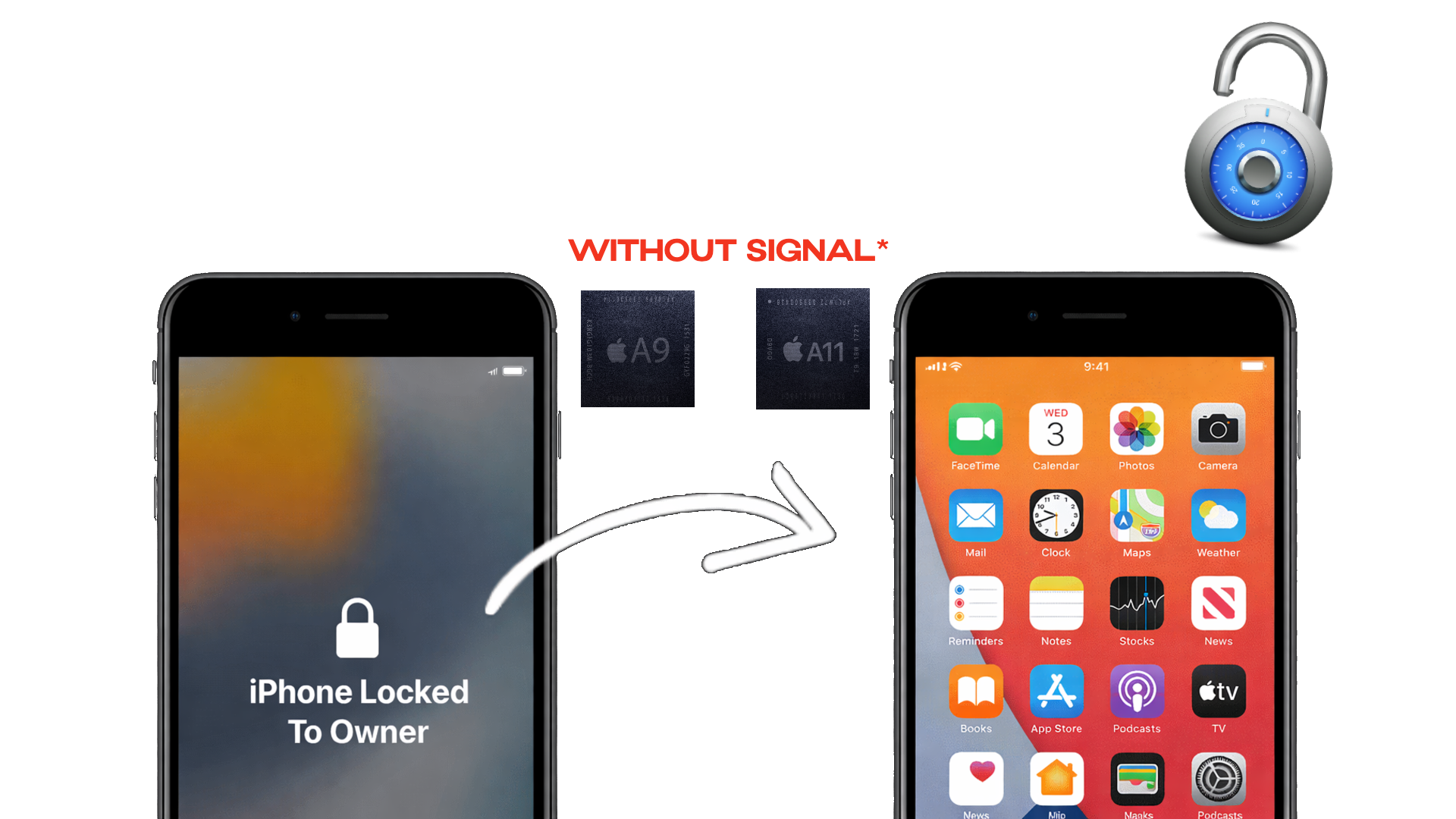
Untethered iCloud Bypass for iPhone 6s – iPhone X & iPads
iOS 15 – 17 Supported Only • Windows Tool!
2K+
Active Repair Shops
8K+
Successful Bypasses
5-15 min
Avg. Processing Time
100%
Success Rate
Key Capabilities
Everything included in your one-time Lu WiFi registration
Fully Untethered
Bypass survives reboots and power cycles. No PC needed after the initial bypass — the device stays unlocked permanently.
A9–A11 Device Support
Covers iPhone 6s, 6s Plus, SE (1st gen), iPhone 7, 7 Plus, iPhone 8, 8 Plus, iPhone X, and compatible iPads with A9–A11 chips.
iOS 15 – 17 Coverage
Full support for iOS 15.0 through iOS 17.x on all A9, A10, and A11 devices. iOS 15, 16, and 17 all supported.
⚠️ Do Not Use Touch ID / Face ID
Touch ID and Face ID are not supported with this bypass. Attempting to use biometrics after bypass can brick your device. Leave them disabled.
Full App Store Access
Download, update, and use any app without restrictions. Your customers receive a fully functional device with unrestricted App Store access.
Windows Only
Simple Windows desktop tool — download, connect your iPhone via USB, and click Bypass. No Mac needed. If you can plug in a USB cable, you can use Lu WiFi.
Activation Process
Complete setup in three straightforward steps
Download and Install
Download the Lu WiFi Windows installer and install it on your PC. Connect your locked iPhone via USB to detect the device. Check in the tool if your device is supported.
Register Device
Click "Register Now" and complete the one-time payment via Stripe. Your license will be delivered by email in 5–15 minutes on average.
Apply Bypass
Execute the tool to remove iCloud Lock from the device in minutes.
Device Compatibility
A9 • A10 • A11 — iOS 15 to 17
iPhone • iPad
Lu WiFi supports all A9, A10, and A11 devices running iOS 15 through iOS 17 only. No other iOS versions are supported.
Supported Models:
- A9 — iPhone 6s, 6s Plus, SE (1st gen) · iPad Pro 9.7" (2016), iPad (5th gen)
- A10 — iPhone 7, 7 Plus · iPad Pro 10.5" (2017), iPad (6th gen), iPad (7th gen)
- A11 — iPhone 8, 8 Plus, iPhone X · iPad Pro 10.5" (A11 models)
- Supported iOS: iOS 15.0 – 15.x, iOS 16.0 – 16.x, iOS 17.0 – 17.x
- Not supported: iOS 14 or below, iOS 18 and above
- Windows Only — Lu WiFi requires a Windows PC to run the bypass tool
Download Lu WiFi – Windows Only
Download the Lu WiFi Windows tool, connect your device via USB, and bypass in seconds. Simple interface, powerful results.
Note: You'll need an active license to use the tool. Register above to receive your license via email within 5-15 minutes.
Lu WiFi vs. Other Solutions
The Choice is Clear
Why settle for partial functionality and unreliable tools when you can have a complete untethered solution in minutes?
Register Your Device!Frequently Asked Questions
How long does it take to receive my license?
Registration is processed in 5-15 minutes on average. You'll receive an automatic email with your license and download link as soon as it's ready.
Does this work on Mac?
No — Lu WiFi is a Windows-only tool. You will need a Windows PC to run the bypass software. Connect your iPhone via USB to your Windows computer and the tool does the rest.
Which iOS versions are supported?
Lu WiFi supports iOS 15, 16, and 17 on all A9, A10, and A11 devices. iOS 14 and below, and iOS 18 and above are not supported by this tool.
Is this bypass truly untethered?
Yes. Once bypassed, the device can be rebooted or powered off without losing the bypass. No PC connection required after the initial bypass. This is a permanent, untethered solution.
Does Touch ID and Face ID work after bypass?
No — do not use Touch ID or Face ID with this bypass. Enabling biometrics after applying the Lu WiFi bypass can brick your device. Keep Touch ID and Face ID disabled at all times when using this tool.
What if I encounter issues?
We offer 24/7 customer support. If you have any problems with the bypass process, our team responds quickly to resolve your issue. Please email mrcreator1software@gmail.com for support.
Is my payment information secure?
Yes. All payments are processed through Stripe, one of the world's most trusted payment processors. We never see or store your credit card information. Your transaction is encrypted and fully secure.
What Repair Shops Are Saying
"We get so many iPhone 7 and 8 devices in with iCloud locks on iOS 16. Lu WiFi handles every single one. Registered at 9am, bypassed by 9:12am."
⭐⭐⭐⭐⭐
– Alex T., Berlin Repair Lab
"Bypassed an iPhone X on iOS 17.4 in under 10 minutes total. Connected USB to my Windows laptop, clicked the button, done. Incredible tool."
⭐⭐⭐⭐⭐
– Mohammed K., Dubai Fix Center
"Finally a tool for the older A9–A11 chips that actually works on iOS 15 and 17. I can bypass 6s through X without switching tools. Love it."
⭐⭐⭐⭐⭐
– Juan R., Miami Tech Shop
"Registration email arrived in 8 minutes. Plugged iPhone 8 Plus into Windows PC, ran the tool, bypassed in 45 seconds. Zero issues."
⭐⭐⭐⭐⭐
– Sarah L., London Mobile Repairs
"Bypassed 12 iPhone 7 Plus units on iOS 16 this week. Tool works perfectly — just make sure customers know to leave Touch ID disabled after bypass."
⭐⭐⭐⭐⭐
– Chen W., Singapore Tech Solutions
"Best Windows bypass tool for A9–A11 period. Clean interface, fast license delivery, and the bypass itself is one click. My team uses it daily."
⭐⭐⭐⭐⭐
– Marcus D., Toronto Device Repair
Risk-Free Guarantee
We're confident in Lu WiFi's performance across all supported A9–A11 devices on iOS 15–17. If the bypass doesn't work on your supported device, we'll work with you until it does or provide a full refund. No questions asked.
Thousands of successful bypasses • 100% success rate on compatible devices • 24/7 support standing by